How to Deliver Canva Templates on Etsy
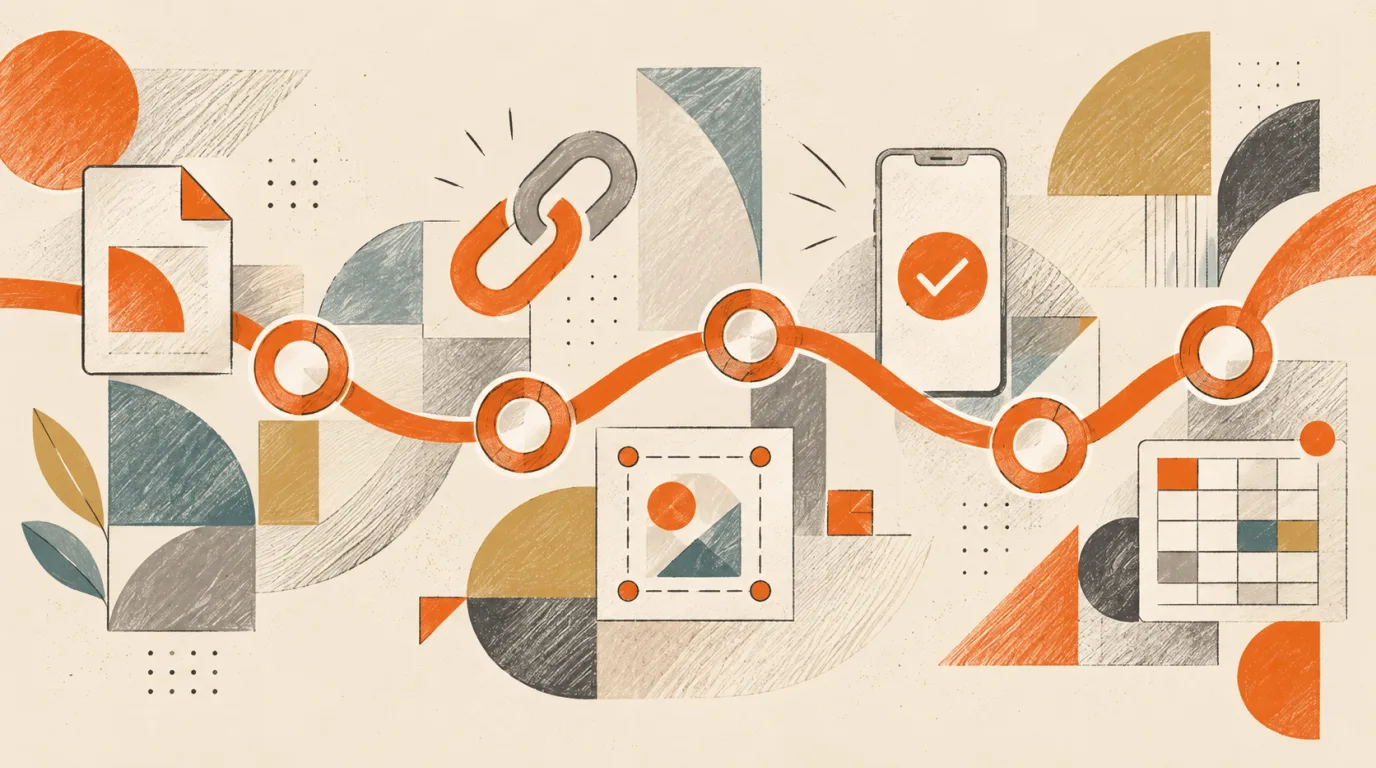
To deliver a Canva template on Etsy, create a Canva Template link, place that link inside a short access PDF, and upload the PDF to an Etsy instant-download listing. The buyer downloads the PDF, opens the link, and uses the design as a template instead of editing your source file.
The complete chain is:
Canva master → Template link → access PDF → Etsy download → buyer’s editable design
Your listing promises an editable template, but the first file the buyer sees is a PDF. That PDF has to make the next action obvious and lead to the same result the listing described.
Treat those five parts as one delivery system. A correct Canva link inside the wrong PDF is still a failed product, as is a good PDF that opens your master for editing.
This guide focuses on that delivery system. For the broader work of designing, licensing, listing, and selling the product, use the complete guide to selling Canva templates on Etsy.
Create buyer access without exposing your master
Open the finished design in Canva and remove anything the buyer should not receive: draft pages, comments, sample customer information, private notes, unused uploads, and hidden material. Canva warns that copied designs can reveal hidden pages and cropped content, so a clean release copy is safer than assuming “hidden” means unavailable.[2]
Then create the buyer link:
- Open the clean design.
- Select Share.
- Select Template link. If it is not visible, select See all.
- Select Create template link.
- Copy the URL.[1]
Canva currently limits Template-link creation to Canva Pro, Canva Teams, Canva Enterprise, Canva for Education, and Canva for Nonprofits accounts. A Template link allows recipients to view and use the design as a template.[1]
Do not substitute an ordinary collaboration link. Canva’s standard sharing controls can let anyone with the link edit the shared design. Unknown guest users appearing in a design are one sign that public edit access was granted.[2] That route places buyers in the same working file instead of giving them the intended template-use path.
There is one account edge case worth testing rather than guessing about. Canva says that when a Template-link creator uses a work email domain, recipients with the same domain must be on a paid plan. General email domains and recipients outside the organization are not affected in the same way.[1] If you use a company-domain Canva account, include that case in your test.
Check paid content before promising free access
The seller’s Canva plan and the buyer’s content costs are separate questions. Canva says Free users see watermarks on Pro content and must buy a license for that use or subscribe to remove them.[4][5]
Canva also permits Pro Content in original templates only when those templates are shared as Canva Template links. It does not permit a template containing Pro Content to be sold as a PDF or another downloadable file.[3]
Before writing “works with a free Canva account” in your listing, open the delivered template from the kind of account your buyer is likely to use. If the design contains paid elements, either replace them with Free or independently licensed alternatives, or state the resulting requirement accurately before purchase.
Build an access PDF that works as a handoff
Etsy delivers the file attached to an instant-download listing. For a Canva template, that file is normally a PDF carrying the Template link and the instructions needed to use it. Etsy accepts PDF files and currently allows up to five digital files, with a maximum size of 20 MB each.[6]
Keep the access PDF short. One or two pages is usually enough when each page has a clear job.
Include:
- the exact product name;
- one prominent link or button labeled Open your Canva template;
- a plain instruction such as Open the link, follow Canva’s template-use prompt, edit your design, then export the format named in this guide;
- the expected Canva account and paid-content requirements, based on your test;
- the output format the listing promises, such as PDF Print or PNG;
- a brief troubleshooting note for Etsy app downloads;
- a clear way to contact you through Etsy Messages;
- a product or release code that also appears in your own maintenance record.
Name the file for the buyer. Open-Your-Wedding-Invitation-Template.pdf is useful. upload-final-v6.pdf explains only how long the seller spent looking at versions.
Make the main link easy to recognize and tap. Use a large text button with enough empty space around it, not a tiny linked word inside a decorative paragraph. Add a visible, copyable fallback link if the URL is practical to reproduce. A QR code may be a secondary option, but it should not be the only route when the PDF is already open on the buyer’s phone.
The exported PDF is the product handoff. Download it, close Canva, and test that file in at least one desktop PDF reader and one phone reader. Do not treat a working link inside the Canva editor as evidence that the exported PDF works.
Explain the Etsy-to-Canva path before purchase
A buyer should not have to purchase the listing to discover that Etsy delivers a PDF rather than the finished editable file.
State these points in the listing description and, where helpful, in a listing image:
- this is a digital product and no physical item will be shipped;
- Etsy delivers a PDF containing the Canva Template link;
- what parts of the design can be edited;
- the page count, dimensions, and intended output;
- whether the tested buyer path needs a Canva account;
- whether any included content can create a Canva charge, watermark, or plan requirement;
- whether the product is intended for desktop, mobile, or both, based on your own test;
- where the buyer can get help if the PDF or link does not work.
Choose Digital files when creating the Etsy listing, use an instant download for a ready-made template, and upload the access PDF. Etsy shows buyers the uploaded file name, and the name cannot be edited after upload without replacing the file.[6]
One mobile detail deserves prominent placement. Etsy currently says buyers cannot download a digital purchase through the Etsy app. They need to sign in to Etsy through a mobile browser or use a computer. Instant downloads become available after Etsy confirms payment, which can take a few minutes in some cases.[7]
A concise instruction in the listing and PDF is enough:
To download your access PDF, sign in at Etsy.com in a browser. Digital purchases are not downloadable through the Etsy app.
Test the exact path a buyer will use
A reliable test starts with the artifact the buyer receives, not with your master design.
Run the pre-publication test
- Export the finished access PDF with its buyer-facing filename.
- Open that exact PDF on a computer and a phone.
- Select the template button while signed out of your seller Canva account or in a private browser window.
- Confirm that Canva presents the template-use path, not edit access to your source design.
- Continue with a separate buyer-style account where practical.
- Make one obvious edit, such as changing the sample name and color.
- Export the format promised in the listing.
- Check the result for watermarks, missing elements, substituted fonts, cropped content, and unexpected account prompts.
- Upload the same tested PDF to the Etsy listing, save the listing as a draft, and confirm that Etsy shows the expected filename and file size.
- Read the listing and PDF once more without relying on what you know about the product.
The peak test is not “the link opened.” It is “a buyer reached a separate editable design and exported the promised result without an undisclosed requirement.”
After a legitimate purchase, you can also verify the Etsy side of the route. Etsy says buyers normally find digital files under Purchases, then Download Files. Guest buyers receive their download link in the receipt email.[7]
Diagnose Canva template delivery problems by symptom
When a buyer reports that “the link doesn’t work,” find the broken part of the chain before replacing everything.
The buyer can edit your source design
Likely cause: The PDF contains an edit or collaboration link rather than a Template link.
Repair: Remove unsafe public edit access in Canva. Create a current Template link from a clean release design, put that URL into the access PDF, export the PDF again, and repeat the signed-out test. Canva’s normal link sharing and its Template-link flow are different controls.[1][2]
The PDF opens, but the button does nothing
Likely cause: The hyperlink was not attached correctly, was lost during export, or is difficult to select in that PDF reader.
Repair: Test the exported PDF outside Canva. Reattach the URL to a simple text or button element, enlarge the tap target, export again, and test in a second reader. If the PDF includes a copyable fallback URL, test that route too.
Canva says the link is inactive
Likely cause: The Template link was deleted or replaced.
Repair: Check the design’s Share → Template link panel. Canva says deleting a Template link makes its URL inactive, and creating another produces a new URL.[1] Treat the replacement as a new address. Update every access PDF and Etsy listing that points to the retired URL, then retest the full path.
The link works for you but not for the buyer
Likely cause: You tested as the owner, the buyer is entering through a different account context, or the failure is elsewhere in the chain.
Repair: Confirm the listing’s attached filename and release code against your maintenance record, then open the matching PDF while signed out of the seller account. If it still works, ask the buyer for the exact error text, device, browser or app, and a screenshot with personal details removed. Check the Etsy-download step, PDF link, Canva account prompt, and template content separately.
The buyer cannot find or download the PDF
Likely cause: They are using the Etsy app, payment is still processing, or they checked the wrong Etsy account or email.
Repair: Direct them to Etsy.com in a mobile browser or on a computer, then to Purchases → Download Files. A guest buyer should use the receipt email. If Etsy still shows the download as unavailable, follow Etsy’s order and payment guidance rather than changing the Canva link.[7]
The buyer sees watermarks or cannot export as promised
Likely cause: The template contains Pro Content or another feature not covered by the buyer’s account.
Repair: Test with a clean buyer-style account. Identify the exact paid elements or feature, then either replace them and issue a corrected release or make the requirement explicit before purchase. Do not describe the template as free-account compatible until the complete edit-and-export test proves it.[4][5]
The wrong template opens
Likely cause: The link, PDF, and listing were paired incorrectly.
Repair: Compare the listing ID, buyer-facing PDF name, product or release code, Canva design name, and live Template link against your maintenance record. Correct the mapping and rerun the buyer test. This is why “one spreadsheet row per product” is not needless admin. It is how you avoid opening twelve PDFs to discover which one contains the retired link.
Keep a small delivery record
The Template link is a dependency of the product. Record it as carefully as the listing itself.
A useful row contains:
- Etsy listing ID and URL;
- product name and internal SKU;
- Canva master or release-design name;
- current Template link;
- access-PDF filename;
- release code or version;
- date last tested;
- test account or conditions used;
- known Canva account or paid-content requirements;
- replacement history and affected listings.
When a Template link changes, search that record before editing files. Canva confirms that a deleted link becomes inactive and a newly created link has a new URL.[1] Your job is to find every PDF and listing that still points to the old one.
Do not assume that changing the design, creating a new link, or replacing one Etsy file repairs every copy already downloaded by a buyer. Keep a short support response that asks for the order, release code, exact error, and device. Diagnose first, then send the tested current route when needed.
Use one go/no-go check before publishing
Publish only when the exact PDF attached to the draft listing passes this complete test:
A signed-out buyer can download the PDF, recognize the next action, open a Template link rather than your master, edit a separate design, and export the promised result without an undisclosed cost or account requirement.
If any part fails, leave the listing in draft. Fix the first broken link in the chain, then run the test again from the PDF rather than resuming halfway through.
Sources
[1] Canva: Share your design as a template link
[2] Canva: Sharing designs via email or links
[3] Canva: Use Canva to design digital and physical products for sale
[5] Canva’s Content License Agreement